

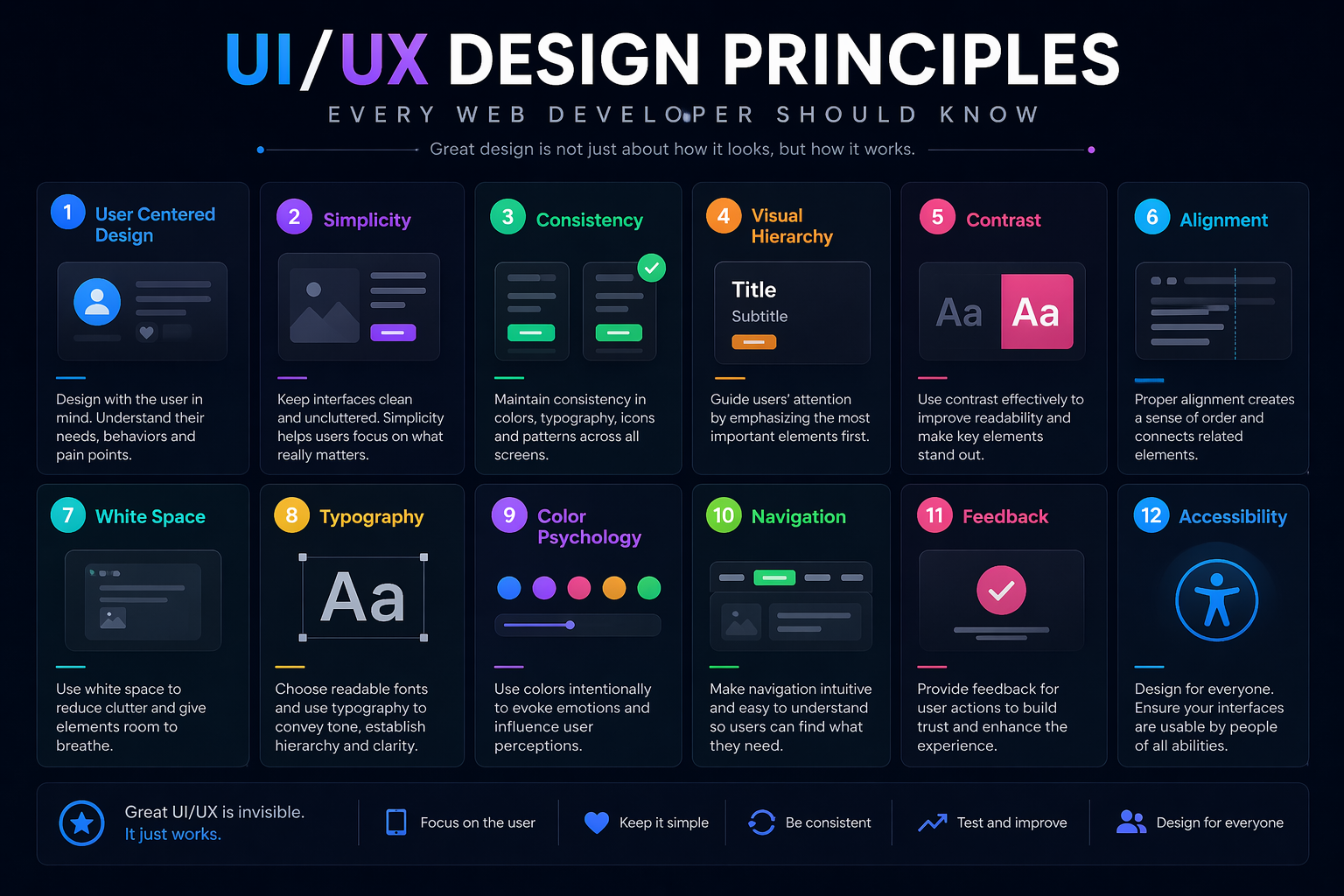
UI/UX Design Principles Every Web Developer Should Know (2026 Complete Guide)
Author: Malik Mohsin Saleem Khan
Introduction
UI/UX design has become one of the most important aspects of modern web development. In today’s digital world, users expect websites and applications to be not only functional but also visually appealing, intuitive, and easy to navigate. A well-designed user interface (UI) combined with a strong user experience (UX) can significantly improve engagement, retention, and conversions.
In 2026, UI/UX design is no longer the responsibility of designers alone. Web developers are now expected to understand design principles and apply them directly in development workflows. This article explores the most important UI/UX design principles every web developer should know to build modern, user-friendly, and professional digital products.
Understanding UI vs UX
Before diving into principles, it is important to understand the difference between UI and UX.
What is UI (User Interface)?
UI refers to the visual elements of a website or application. This includes:
- Buttons
- Colors
- Typography
- Layout
- Icons
- Forms
UI focuses on how a product looks.
What is UX (User Experience)?
UX refers to how a user interacts with a product. It focuses on:
- Usability
- Navigation flow
- User satisfaction
- Accessibility
- Efficiency
UX focuses on how a product works and feels.
Relationship Between UI and UX
UI and UX are deeply connected. A beautiful interface without good usability fails, while a functional interface without design feels unappealing.
Principle 1: Simplicity in Design
Simplicity is one of the most important principles in UI/UX design.
Why Simplicity Matters
Users prefer clean and straightforward interfaces. Overly complex designs confuse users and reduce engagement.
Best Practices
- Remove unnecessary elements
- Focus on essential content
- Use clear navigation
- Avoid cluttered layouts
Example
A clean homepage with a clear call-to-action performs better than a visually overloaded page.
Principle 2: Consistency Across the Interface
Consistency ensures that users can predict how the interface behaves.
Types of Consistency
- Visual consistency (colors, fonts, spacing)
- Functional consistency (buttons behave the same way)
- Content consistency (tone and messaging)
Benefits
- Improves usability
- Builds user trust
- Reduces learning curve
Principle 3: Visual Hierarchy
Visual hierarchy guides users’ attention to the most important elements first.
Key Elements of Visual Hierarchy
- Size
- Color contrast
- Typography
- Spacing
- Position
Example
Headings should be larger than body text to indicate importance.
Principle 4: Mobile-First Design
With mobile usage dominating the internet, mobile-first design is essential.
What is Mobile-First Design
It is a design approach where websites are first designed for mobile devices and then adapted for larger screens.
Benefits
- Better performance on mobile devices
- Improved user experience
- Higher SEO rankings
Best Practices
- Use responsive layouts
- Optimize touch interactions
- Reduce loading time
Principle 5: Accessibility (A11Y)
Accessibility ensures that websites can be used by everyone, including people with disabilities.
Why Accessibility Matters
- Inclusive user experience
- Legal compliance in many regions
- Better SEO performance
Accessibility Guidelines
- Use proper contrast ratios
- Add alt text to images
- Ensure keyboard navigation
- Use semantic HTML
Principle 6: User-Centered Design
User-centered design focuses on the needs and behaviors of users.
Key Idea
Design should solve user problems, not just look visually appealing.
Steps in User-Centered Design
- Research user needs
- Create user personas
- Design based on user behavior
- Test with real users
- Improve based on feedback
Principle 7: Feedback and Interaction
Users should always know what is happening in the system.
Types of Feedback
- Visual feedback (button changes color)
- Loading indicators
- Error messages
- Success notifications
Importance
Feedback builds trust and improves usability.
Principle 8: Fast and Responsive Interfaces
Performance is a core part of UX design.
Why Speed Matters
Slow websites lead to high bounce rates and poor user satisfaction.
Optimization Techniques
- Image compression
- Lazy loading
- Code optimization
- Caching strategies
Principle 9: Clear Navigation
Navigation is one of the most important elements of UX design.
Best Practices
- Keep menus simple
- Use clear labels
- Maintain consistent structure
- Avoid deep navigation layers
Types of Navigation
- Top navigation bar
- Sidebar navigation
- Breadcrumb navigation
Principle 10: Typography and Readability
Typography plays a major role in user experience.
Key Factors
- Font size
- Line spacing
- Font style
- Contrast
Best Practices
- Use readable fonts
- Maintain proper spacing
- Avoid using too many font styles
Principle 11: Color Psychology in UI Design
Colors influence user emotions and behavior.
Common Color Meanings
- Blue: Trust and professionalism
- Red: Urgency and attention
- Green: Success and positivity
- Black: Luxury and power
Best Practices
- Use consistent color palette
- Avoid excessive colors
- Ensure contrast for readability
Principle 12: Micro-Interactions
Micro-interactions are small animations or responses that enhance user experience.
Examples
- Button hover effects
- Like animations
- Loading spinners
Why They Matter
They make interfaces feel more interactive and engaging.
Principle 13: Error Handling and UX
Good UX includes proper error handling.
Best Practices
- Show clear error messages
- Suggest solutions
- Avoid technical jargon
- Keep messages user-friendly
Principle 14: Design Systems
Design systems help maintain consistency across large applications.
Components of a Design System
- UI components
- Style guides
- Color palettes
- Typography rules
Benefits
- Faster development
- Consistent design
- Easier collaboration
Principle 15: Real-World UX Testing
Testing is essential for improving UI/UX quality.
Types of Testing
- A/B testing
- Usability testing
- Heatmap analysis
- User feedback sessions
Why Testing Matters
It helps identify real user problems and improve design decisions.
Future of UI/UX Design
UI/UX design is rapidly evolving with new technologies.
Future Trends
- AI-driven design systems
- Voice-based interfaces
- Gesture-based navigation
- Hyper-personalized UX
- Immersive AR/VR experiences
Role of Developers
Developers will increasingly participate in UX decisions, not just implementation.
Conclusion
UI/UX design is a critical part of modern web development. Developers who understand design principles can create more intuitive, accessible, and engaging digital experiences. In 2026, successful web applications are not just built on strong code but also on strong user-centered design thinking.
By mastering these UI/UX principles, developers can significantly improve the quality of their projects and deliver experiences that truly meet user expectations.